Try this workflow
AI photo restorer for damaged family photos
Prompt recipes 1
Prompt recipes 2
Prompt recipes 3
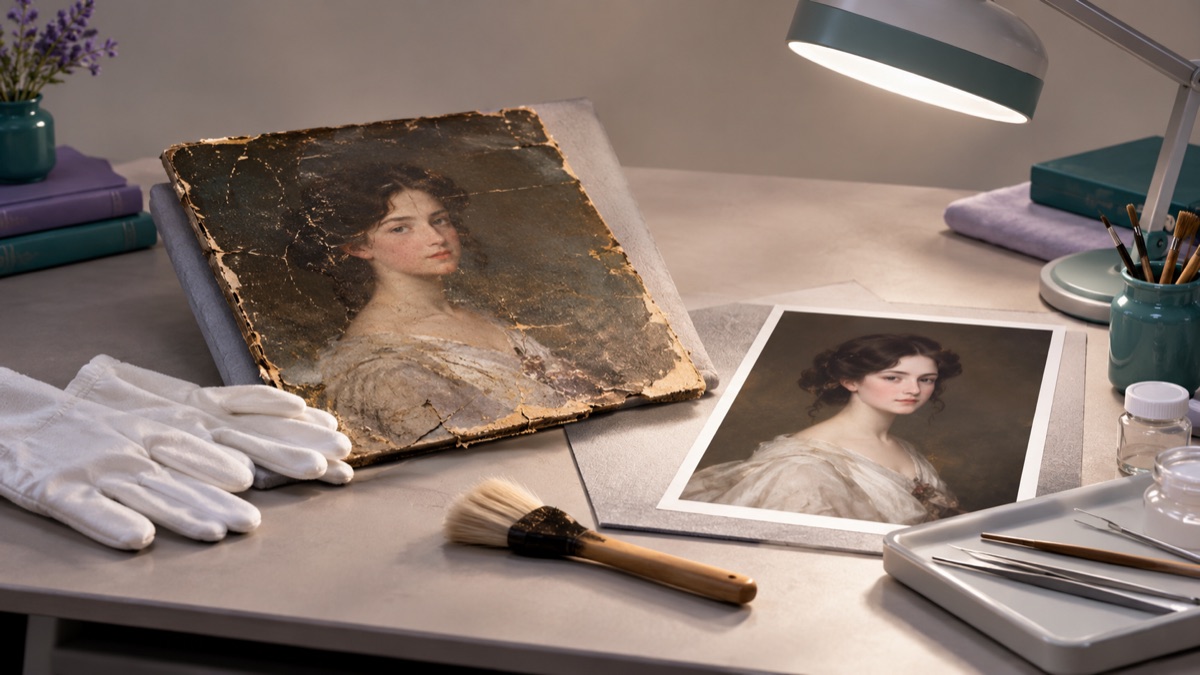
Old photographs fail in different ways. Some are scratched. Some are creased across a face. Some have faded until the contrast is gone. Some have a missing corner. A restoration workflow has to deal with each of these without inventing a new person.
The most important rule is simple: repair first, color later, and keep the original scan. Everything else is technique.
The short answer
Scan the print at the highest resolution you can. Repair scratches, dust, creases, and fading in one pass. Protect the face, age, clothing, and period details. If you want color, do it in a second pass after the repair is finished. Keep the original scan, label the restored version, and do not present generated detail as historical fact.
What AI restoration can and cannot do
AI restoration is good at:
- Removing dust, scratches, and small stains.
- Reducing creases and surface damage.
- Recovering faded contrast and tone.
- Repairing small missing areas.
- Cleaning up scan artifacts.
It is less reliable at:
- Reconstructing a large missing section of a face.
- Recovering detail that was never captured.
- Keeping a family resemblance when a face is badly damaged.
- Restoring text, labels, or documents accurately.
- Preserving historical accuracy when the model decides to "improve" the image.
The difference matters because a restored photo often becomes a family record. If the model invents a face, the record is no longer reliable.
Step 1: scan before you edit
A good scan gives the model more to work with. Use a flatbed scanner if you have one. If you only have a phone, photograph the print straight-on, in even light, with no flash, and fill the frame.
A few practical checks:
- Clean the scanner glass and the print first.
- Scan at 600 dpi or higher for a small print.
- Save a TIFF or a high-quality PNG as the master.
- Do not crop away the border before you decide what to restore.
- Keep the unscanned original in a safe place.
If the print is fragile, do not flatten it under pressure. A conservator can help with tears and brittle paper.
Step 2: repair the damage
Write a repair prompt that names the damage and the things that must not change.
Restore this old photograph. Remove dust, scratches, and creases. Recover the faded contrast and the original tonal range. Preserve the person's recognizable face, age, clothing, and period details. Do not modernize the hairstyle or the clothing. Do not change the identity.
For a crease across a face:
Repair the vertical crease across the face and the background. Continue the skin texture and the facial features naturally. Preserve the person's identity, age, and expression. Do not smooth or beautify the face.
For a missing corner:
Reconstruct the missing corner using the surrounding background and clothing. Do not invent new objects or people. Keep the repair subtle and consistent with the period.
One type of damage per pass is easier to judge. If the photo has both a bad crease and heavy fading, repair the crease first, then adjust the tone.
Step 3: protect the identity
Old photos are often the only surviving image of a person. Identity preservation is not a nice-to-have; it is the point.
Add these constraints:
- Preserve the face, facial proportions, and expression.
- Preserve the approximate age.
- Preserve the hairstyle and hairline.
- Preserve the clothing and its period details.
- Do not beautify, slim, or de-age the face.
- Do not change the number of people.
Then compare the restored face with the original at full size. Look at the eyes, nose, mouth, and jawline. If the face has become a generic handsome or beautiful version of the person, the restoration has failed even if the damage is gone.
Step 4: colorize as a separate step
Colorization is an interpretation. The model does not know the real colors of the clothing, the wall, or the skin. It makes a plausible guess.
If you want color:
- Finish the repair and save a restored black-and-white version.
- Run a second pass with a colorization prompt.
- Keep both files.
- Label the color version as colorized.
A colorization prompt:
Colorize this restored black-and-white photograph with muted, realistic tones. Use period-appropriate colors for the clothing and the background. Keep the skin tones natural and the contrast soft. Do not change the face or the composition.
Avoid saturated, modern color. It makes an old photo look like a filter.
Step 5: label the result
A restored photo is a derivative. Label it.
A simple caption:
Restored from a damaged original. Missing areas and color are digitally reconstructed and may not reflect the original scene.
This is not legal boilerplate. It is respect for the person in the photo and for the people who will inherit the image.
A comparison table
| Damage | Likely result | Risk |
|---|---|---|
| Dust and small scratches | Good | Low |
| Surface stains | Good | Low |
| Creases | Fair to good | Medium |
| Fading | Good | Low |
| Small missing corner | Fair | Medium |
| Large missing area | Poor | High |
| Missing face | Not reliable | Very high |
| Faded text | Poor | High |
Use the table to decide what to attempt and what to leave alone.
Common mistakes
Colorizing before repairing. The color pass can hide the damage and make it harder to judge the repair.
Asking for a "beautiful" restoration. Beauty is not the goal. Accuracy and legibility are.
Using a low-resolution phone photo. Small faces and fine scratches need resolution.
Letting the model modernize clothing or hair. Period details are part of the identity.
Presenting a restored image as the original. Always keep and label the source.
Restoring a photo of someone without permission. Family photos are personal. Ask before sharing a restored image publicly.
When to stop
Stop and use a professional conservator when:
- The print is torn, brittle, or stuck to another surface.
- The image is the only record of a person or an event.
- The damage is chemical or mold-related.
- You need a legally defensible restoration.
- The face is missing and identity matters.
A conservator can stabilize the physical print. Software cannot.
Try the workflow
The AI photo restorer page opens the workspace in image-to-image mode with three restoration prompts. You can read and copy prompts without an account. A generation uses credits; the pricing page lists the current packs and plans.
If the photo is technically weak but not damaged, use the photo enhancer guide. If the frame is too tight, the image extender guide explains how to add canvas without changing the person.