Family archives
Repair creases and fading so a portrait can be printed or shared with relatives.
Restoration
Old prints carry damage that a simple filter cannot understand: a crease across a face, a torn corner, or decades of fading. A restoration prompt asks the model to repair the damage while keeping the person and the period intact.
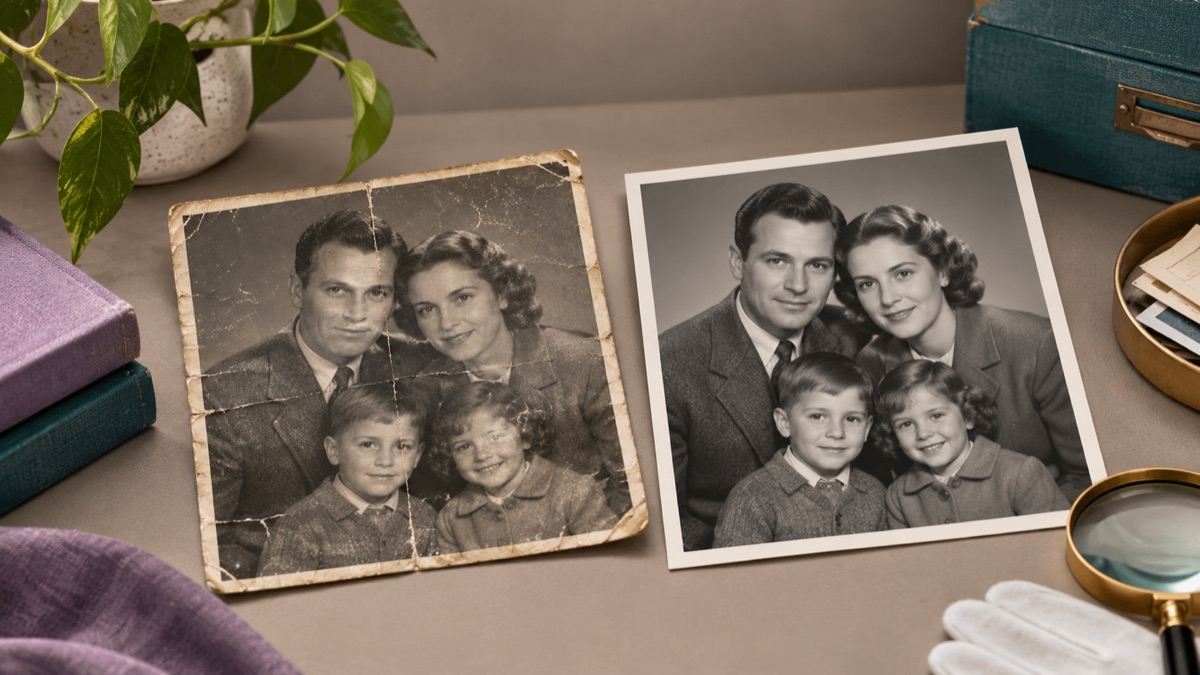
It can reduce dust, scratches, creases, stains, and fading, and it can reconstruct small missing areas. It is less reliable when a face or an important object is missing entirely, because the model has to invent rather than repair.
A flat, even scan gives the model more detail. Avoid photographing a print under a lamp if a scanner is available.
First repair the damage, then colorize in a second pass if you want color. Mixing both in one prompt makes it harder to judge what changed.
Ask explicitly to keep the face, age, clothing, and period details. Compare the restored face with the original before sharing it with family.
The page opens with the matching mode selected. Upload a file, edit the prompt, and sign in when you are ready to spend credits.
Use a publicly accessible URL (jpg/png/webp/gif/avif). No public link handy? Upload to store it on R2 and auto-fill the URL.
Uploads are stored only to run your edit. Privacy Policy
500 credits · about 5 image edits · one-time
Nothing generated yet
Upload only images you have the rights to use. Files are sent to the storage and model providers needed to produce the result.
Repair first. Keep the original identity, clothing, and period. Do not modernize the face.
Scratches and dust
Creases and fading
Muted colorization
Repair creases and fading so a portrait can be printed or shared with relatives.
Clean dust and scan artifacts while keeping the image honest and clearly labeled as restored.
Recover a usable portrait from a damaged print with a gentle, natural result.
Add muted, plausible color after the damage is repaired, not instead of repairing it.
Restoration is interpretation. Missing detail is invented, so do not present a restored image as an unaltered historical record. Keep the original scan, label the restored version, and avoid using the result as evidence of what someone or something looked like.
It can generate a plausible face, but that face is invented. If the identity matters, do not use a generated face as a substitute for the real person.
Colorization is an interpretation. If you colorize, keep the black-and-white original and label the color version clearly.
Scan at the highest optical resolution available, ideally 600 dpi or more for a small print. The model can work from a phone photo, but a scan preserves more detail.
Small missing areas can be reconstructed. A large missing section requires invention and may not match the original scene.
Ask to preserve the clothing and period details. Compare buttons, patterns, and text before accepting the result.
Yes, after checking the resolution at your intended print size. Keep the original scan and note that the restored areas are generated.
AI photo enhancer for natural-looking corrections
Improve a phone photo with balanced light, cleaner shadows, and natural detail. Describe the correction and keep the face, colors, and scene believable.
AI image editor for prompt-based photo edits
Edit a photo by describing the change: swap clothes, clean a background, adjust light, or restyle a portrait. Upload once, compare the result, and download.
AI image extender for wider frames and clean crops
Extend a photo beyond its original edges with AI outpainting. Add room for headlines, fix a tight crop, or turn a square shot into a wide banner.