Real-estate tours
Remove small clutter and clean the floor while keeping the room geometry intact.
Equirectangular
A 360 photo is a projection, not a normal frame. Editing one means protecting the horizon and the wrap seam while changing the scene. This page is for careful, inspectable edits, not for one-click panorama magic.
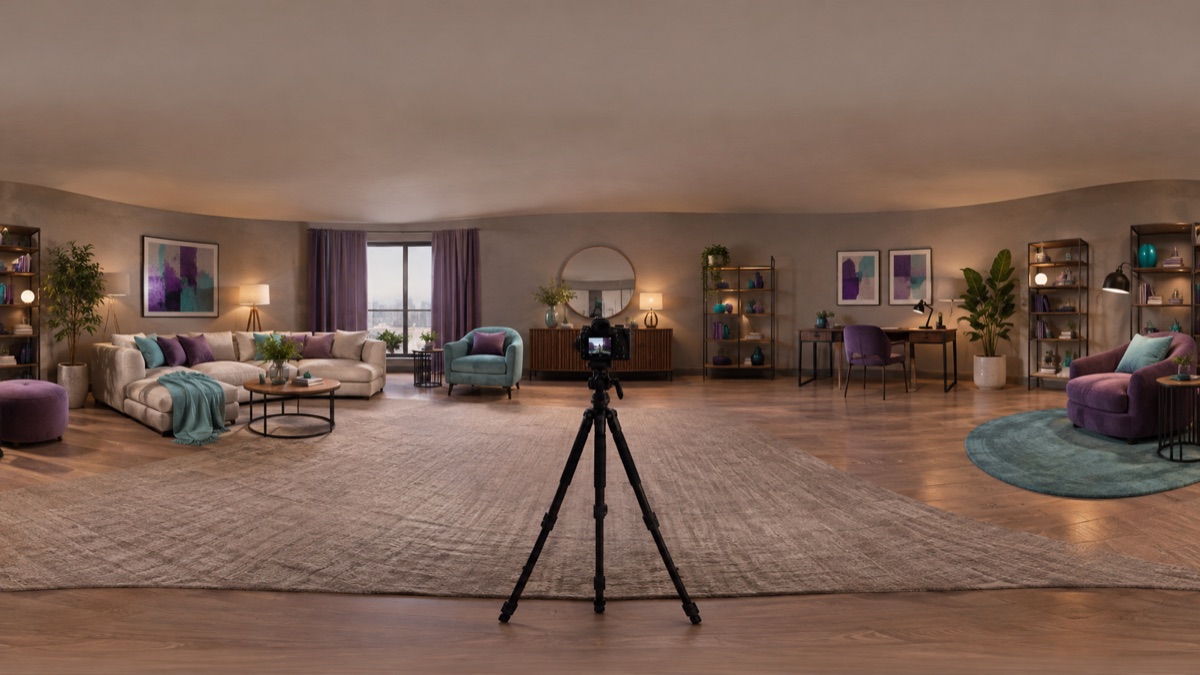
An equirectangular image maps a full sphere onto a 2:1 rectangle. The left and right edges must join seamlessly, and the horizon should stay level. A general image edit can change the scene, but it does not guarantee that the projection or the seam remains correct.
Confirm the image is 2:1 and that the horizon is level. A cropped or tilted source is hard to repair with a prompt.
Ask for changes in the middle of the frame first. Edits near the left and right edges are the most likely to break the wrap.
Open the result in a 360 viewer, not only as a flat rectangle. Rotate through the seam and check the nadir and zenith.
The page opens with the matching mode selected. Upload a file, edit the prompt, and sign in when you are ready to spend credits.
Use a publicly accessible URL (jpg/png/webp/gif/avif). No public link handy? Upload to store it on R2 and auto-fill the URL.
Uploads are stored only to run your edit. Privacy Policy
500 credits · about 5 image edits · one-time
Nothing generated yet
Upload only images you have the rights to use. Files are sent to the storage and model providers needed to produce the result.
Name the area to change, protect the horizon and projection, and avoid the seam.
Clean the floor
Replace the sky
Remove clutter
Remove small clutter and clean the floor while keeping the room geometry intact.
Reduce distracting objects and balance the light without moving walls or doors.
Replace a dull sky with a soft gradient and keep the horizon level.
Clean a scan before use in a viewer, then verify the seam and projection yourself.
A generated edit can shift the horizon, soften the seam, or change the projection. This workspace does not guarantee an equirectangular or VR-ready result. Always inspect in a 360 viewer, keep the original, and compare the seam before publishing.
An equirectangular panorama is normally 2:1, for example 4096 by 2048. Check the source dimensions before editing.
Not guaranteed. The model edits pixels, not projection metadata. Inspect the left and right edges in a viewer and repair the seam in a panorama editor if needed.
Small objects near the nadir are plausible to remove, but the area directly below the camera is heavily distorted. Check the result from several angles.
Yes, if you ask for a level horizon and a soft transition. A dramatic replacement can make the light on the ground inconsistent.
Do not assume so. Verify the projection, seam, stereo layout, and resolution in the viewer you plan to use.
You can edit any image with the same controls, but a normal photo is not an equirectangular panorama. The 360 page only makes sense when the source is actually 2:1.
Panorama image generator for wide scenes
Generate a wide panoramic scene from a prompt: mountain lakes, interiors, or city skylines. Choose a wide ratio and inspect the edges before use.
AI image editor for prompt-based photo edits
Edit a photo by describing the change: swap clothes, clean a background, adjust light, or restyle a portrait. Upload once, compare the result, and download.
AI image extender for wider frames and clean crops
Extend a photo beyond its original edges with AI outpainting. Add room for headlines, fix a tight crop, or turn a square shot into a wide banner.