Profile and social photos
Clean a distracting background and balance the light without changing the person.
Image to image
Describe the change you want in plain language, upload the photo, and let the edit model redraw only what you asked for. It is built for small, inspectable changes rather than a one-click filter that rewrites the whole frame.
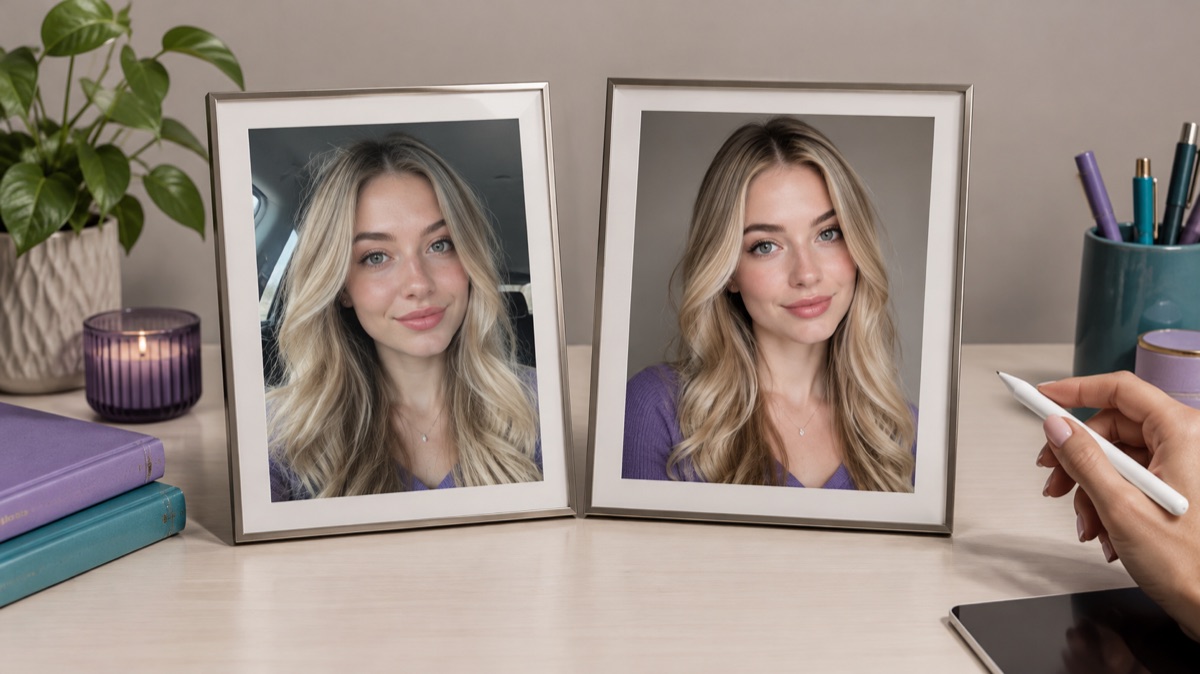
An AI image editor changes an existing photo from a text instruction. You keep the original composition and identity, then ask for a specific edit such as a new background, cleaner light, different clothing, or removed clutter. The model returns a new image, so you compare it with the original before using it.
Use a sharp file with the subject clearly visible. The editor works from the uploaded image, so a low-resolution source limits how much detail can survive.
Name what must stay the same, then name the one thing that should change. One edit per run is easier to judge than a paragraph of overlapping requests.
Check the face, hands, text, and edges first. If something drifted, repeat the edit with a tighter instruction instead of accepting the first result.
The page opens with the matching mode selected. Upload a file, edit the prompt, and sign in when you are ready to spend credits.
Use a publicly accessible URL (jpg/png/webp/gif/avif). No public link handy? Upload to store it on R2 and auto-fill the URL.
Uploads are stored only to run your edit. Privacy Policy
500 credits · about 5 image edits · one-time
Nothing generated yet
Upload only images you have the rights to use. Files are sent to the storage and model providers needed to produce the result.
Copy a recipe, replace the subject and setting with your own, and keep the preservation sentence.
Editorial portrait
New background
Gentle cleanup
Clean a distracting background and balance the light without changing the person.
Put an object on a clean surface, add a natural shadow, and keep the label readable.
Remove small clutter, brighten a dark corner, and keep the room geometry intact.
Repair fading or scratches while keeping faces and period details recognizable.
Identity, hands, small text, and fine patterns are the usual failure points. Inspect them at full size, keep the original file, and do not present an edited image as a documentary record. The model can change more than you asked, so a second pass with a narrower instruction is normal.
Yes. Short, specific instructions usually work better. Start with one sentence that names what must stay the same and one change you want.
The editor is instructed to preserve identity, but no model guarantees a perfect match. Check the eyes, jawline, hands, and any text before you use the result.
The workspace accepts common image files such as JPEG, PNG, and WebP. Very large files may need compression first; the browser compressor on this site can do that locally.
Small objects and clutter usually work well. Large removals need the model to invent what was behind the object, so inspect the filled area for repeated textures or soft edges.
Yes. Each generation consumes credits from your account. The pricing page lists the current packs and plans, and the generator shows the cost before you run it.
No. This is an independent workspace. The live selector names the model that actually runs the edit; the site name does not imply a Qwen or 360-specific model.
AI background changer for portraits and products
Replace a photo background with a studio, street, interior, or clean product set. Keep the subject and clothing while the scene changes around them.
AI photo enhancer for natural-looking corrections
Improve a phone photo with balanced light, cleaner shadows, and natural detail. Describe the correction and keep the face, colors, and scene believable.
AI image extender for wider frames and clean crops
Extend a photo beyond its original edges with AI outpainting. Add room for headlines, fix a tight crop, or turn a square shot into a wide banner.
AI headshot generator for profiles and team pages
Turn a clear selfie into a professional headshot with studio light, a clean backdrop, and business clothing while keeping the face recognizable.