LinkedIn and job profiles
A clean, approachable portrait that still looks like the person in an interview.
Portrait workflow
A useful headshot needs a recognizable face, even light, and a background that does not compete. Start from a sharp selfie, describe the professional look you need, and compare the result at full size before using it on a profile.
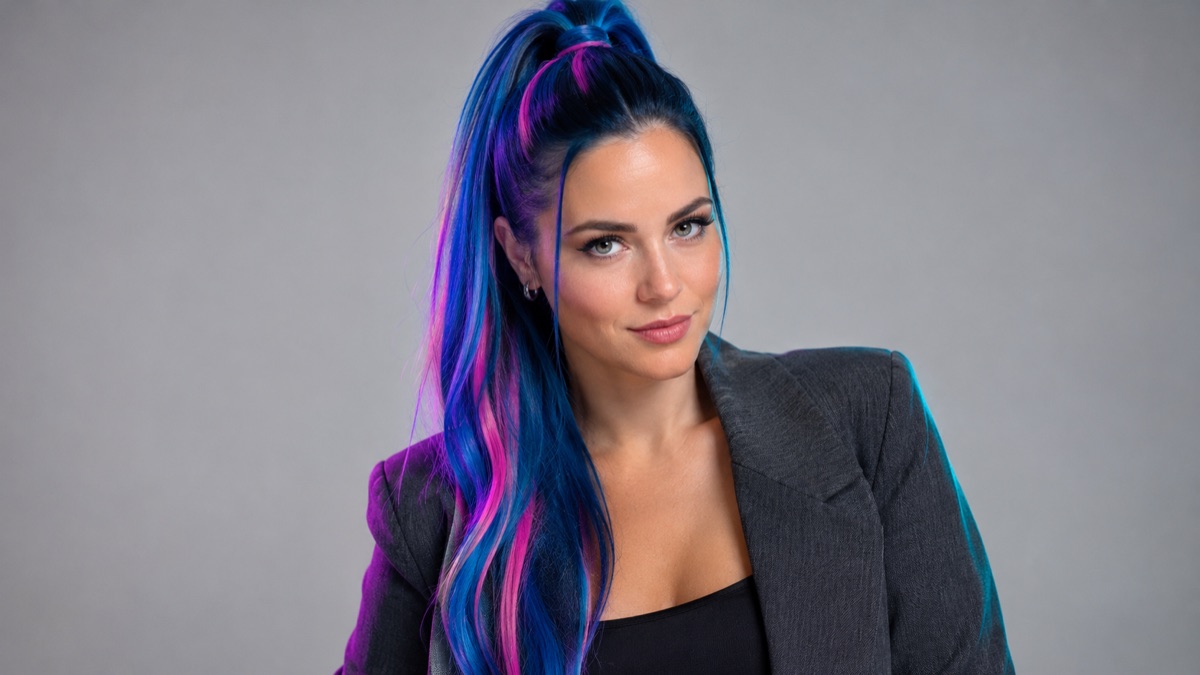
A usable headshot keeps the person recognizable, uses light that flatters without flattening the face, and leaves enough space around the head for a profile crop. The background should be quiet. The clothing can change, but the face, skin tone, and age should not.
Use a photo where the eyes are visible and the face is not heavily filtered. A phone portrait in soft daylight is enough.
Decide between a neutral studio, a light gray wall, or a softly blurred office. State the clothing level: business casual, blazer, or plain shirt.
Leave room above the head and at the shoulders. Test the result as a circle and as a rectangle, because profile crops often cut differently.
The page opens with the matching mode selected. Upload a file, edit the prompt, and sign in when you are ready to spend credits.
Use a publicly accessible URL (jpg/png/webp/gif/avif). No public link handy? Upload to store it on R2 and auto-fill the URL.
Uploads are stored only to run your edit. Privacy Policy
500 credits · about 5 image edits · one-time
Nothing generated yet
Upload only images you have the rights to use. Files are sent to the storage and model providers needed to produce the result.
Name the backdrop, the light, the clothing level, and the identity constraint.
LinkedIn neutral
Corporate gray
Author portrait
A clean, approachable portrait that still looks like the person in an interview.
A consistent background and light level across a whole team without booking a studio.
A slightly more editorial portrait with controlled light and a dark backdrop.
Replace casual profile photos with a coherent set for a company directory.
A single selfie gives the model less information than a real shoot. Glasses, long hair, and strong expressions are common drift points. Do not use a generated headshot to misrepresent a real person, and check the result against the original before publishing.
No. A sharp phone photo with even light is enough. Avoid heavy beauty filters because they remove the texture the model needs to keep the face recognizable.
Yes. Describe the clothing level rather than an exact brand or logo. Logos and small text often come out distorted.
The edit is instructed to preserve identity, but it can still change the jawline, eyes, or skin tone. Compare side by side and reject results that no longer look like the person.
Yes, if you have the rights to each person's photo and their consent. Use the same prompt and background description for every person so the set looks consistent.
Glasses can distort or lose the frame; hats can change the hairline. Inspect those areas closely or choose a source photo without them.
Each generation uses the image-generation cost shown in the workspace. The pricing page lists the current credit packs and plans.
AI image editor for prompt-based photo edits
Edit a photo by describing the change: swap clothes, clean a background, adjust light, or restyle a portrait. Upload once, compare the result, and download.
AI photo enhancer for natural-looking corrections
Improve a phone photo with balanced light, cleaner shadows, and natural detail. Describe the correction and keep the face, colors, and scene believable.
AI background changer for portraits and products
Replace a photo background with a studio, street, interior, or clean product set. Keep the subject and clothing while the scene changes around them.