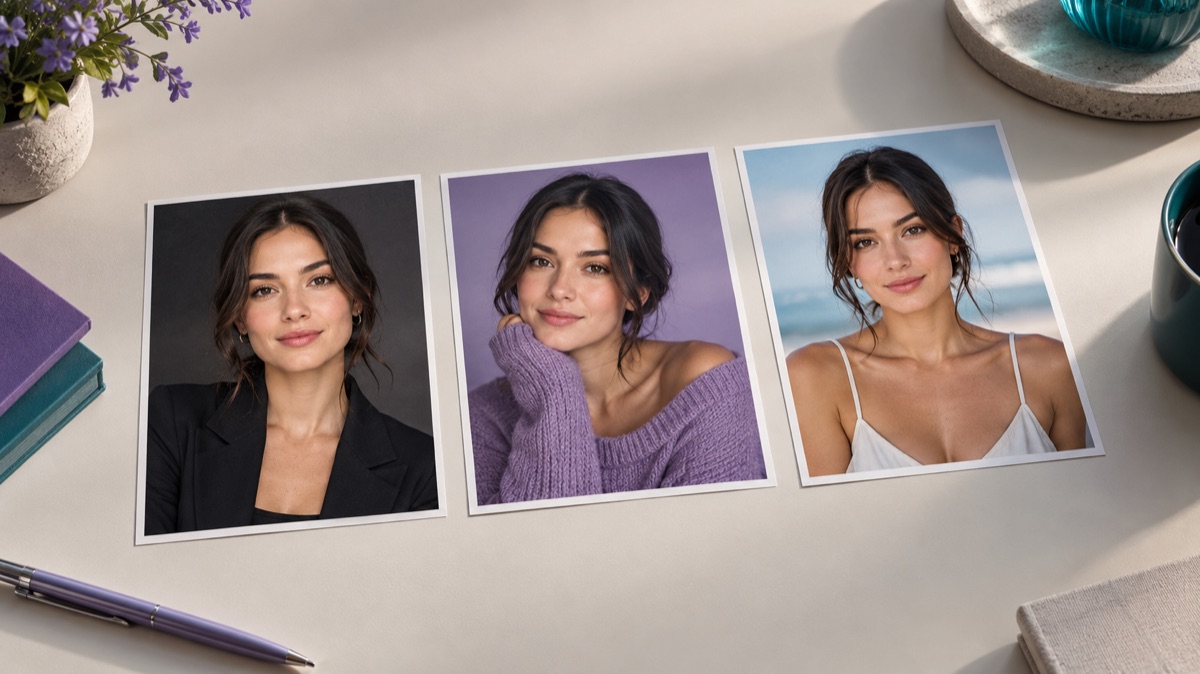
Try this workflow
AI headshot generator for profiles and team pages
Prompt recipes 1
Prompt recipes 2
Prompt recipes 3
A headshot has one job before it has any other job: the person has to be recognizable. A beautiful portrait that changes the jawline, the age, or the skin tone is not a good headshot. It is a different person in better light.
This guide is about the practical middle ground. You do not need a studio, but you do need a source photo with enough information, a prompt that protects identity, and a review step that is honest about what changed.
The short answer
Start with a sharp, front-facing photo in soft daylight. Ask for a neutral backdrop, soft key light, and business-casual clothing. Protect the face, skin tone, age, and hair. Check the eyes, jawline, teeth, glasses, and hairline at full size. If the result no longer looks like the person, reject it.
What makes a headshot usable
A professional headshot is not just a cropped portrait. It has a few practical properties:
- The face is clearly visible and evenly lit.
- The eyes are in focus and look toward the camera.
- The background is quiet and does not compete with the face.
- There is space above the head and around the shoulders for different crops.
- The clothing reads as appropriate for the context.
- The expression is approachable, not exaggerated.
- The image still works as a small circle.
The last point matters more than most people expect. A profile photo is often displayed as a 48-pixel circle. Fine detail disappears. The silhouette, the light, and the expression have to carry the image at that size.
Step 1: choose the source photo
The source is the ceiling. A good source photo has:
- A face that occupies a reasonable part of the frame.
- Soft, even light with no harsh shadow across the eyes.
- No heavy beauty filter or skin smoothing.
- No sunglasses, mask, or hand covering the face.
- A neutral expression or a natural smile.
- Enough resolution to inspect the eyes at 100 percent.
A phone portrait in window light is usually enough. A screenshot from a video call is usually not: it is compressed, soft, and often lit from below.
If you wear glasses, decide whether you want them in the final headshot. Frames can bend or lose their shape. If the glasses are part of how you look, keep them and inspect the frame carefully. If not, use a source photo without them.
Step 2: choose the context
Different headshots serve different purposes. Decide before you write the prompt.
| Context | Backdrop | Light | Clothing |
|---|---|---|---|
| LinkedIn / job profile | Neutral gray or soft office | Soft key, gentle fill | Business casual |
| Company team page | Consistent light gray | Even, slightly flat | Same style across the team |
| Speaker / author bio | Dark or textured | Directional rim light | Blazer or statement piece |
| Internal directory | Plain wall | Soft and even | Everyday professional |
Consistency matters for a team page. If everyone uses a different background and light, the page looks assembled from stock photos. Use the same prompt structure and backdrop description for each person, with their own source photo.
Step 3: write the identity protection sentence
This is the most important line in the prompt.
Preserve the person's recognizable face, facial proportions, skin tone, approximate age, hairline, hair color, and natural skin texture. Keep the same person; do not beautify, slim, or de-age the face.
The "do not beautify" part is deliberate. Many models default to a smoothed, symmetric, slightly younger face. That is exactly what makes an AI headshot feel fake.
If the person has a distinctive feature — a mole, a scar, a gap tooth, asymmetrical eyebrows — mention it as something to preserve. Those details are what make the portrait recognizable.
Step 4: describe the light and the backdrop
A simple, reliable headshot prompt:
Create a professional headshot on a light gray seamless backdrop. Use a large soft key light from the upper left, a subtle fill from the front, and a gentle rim light on the hair. Keep the depth of field moderate, with the background slightly out of focus. Business casual clothing, natural colors, realistic skin texture.
For a darker, more editorial look:
Create an author portrait on a deep charcoal backdrop. Use a soft key light from the left and a warm rim light from the right. Keep the face natural, with visible skin texture and a calm expression. Dark blazer, no tie.
For a consistent team set, keep the backdrop and light sentences identical and change only the clothing and the person.
Step 5: check the face, not the vibe
The first impression is usually "this looks professional." That is not enough. Open the image at full size and compare it with the original.
Check:
- Eyes: shape, spacing, color, and expression.
- Jawline and chin: did the model slim or sharpen the face?
- Nose: width and bridge.
- Teeth: are they visible, natural, and correctly shaped?
- Hairline: did it move?
- Glasses: frame shape, lens reflection, and alignment.
- Skin: is there texture, or is it plastic?
- Ears: are they present and correctly shaped?
- Neck and shoulders: do they connect naturally?
If the face has drifted, do not ask for "more realistic." Ask for the specific feature to be preserved and rerun with the same backdrop and light.
The small-size test
Export the headshot at the size it will actually be used. For a LinkedIn profile, that is a small circle. Look at it on a phone.
Questions to ask:
- Can you recognize the person at 48 pixels?
- Is the face centered in the circle?
- Is the background quiet enough that the face stands out?
- Is the expression warm or tense?
- Is the crop leaving enough space around the head?
A headshot that only works at full size is not a good profile photo.
Common mistakes
Using a filtered selfie. Beauty filters remove the texture the model needs to preserve identity. The result looks generic.
Asking for "professional" without naming the look. The model may choose a different age, a different hair style, or heavy retouching.
Letting the model change the clothing and the face. Protect the face first, then describe the clothing.
Ignoring the glasses. Frames are a common failure point. Inspect them or remove them from the source.
Using a generated headshot without consent. A headshot represents a real person. Do not generate one for someone else without their permission, and do not use a recognizable public figure to imply an endorsement.
Forgetting the crop. A portrait that looks great as a rectangle can cut the forehead or chin in a circle.
A reusable headshot prompt
Use the uploaded photo as the primary reference.
Preserve the person's recognizable face, facial proportions, skin tone,
approximate age, hairline, hair color, and natural skin texture.
Keep the same person; do not beautify, slim, or de-age the face.
Create a professional headshot on a [backdrop] with [light setup].
Clothing: [business casual / blazer / plain shirt].
Moderate depth of field, realistic colors, natural skin.
Leave space above the head and around the shoulders for a circular crop.
Do not add jewelry, logos, text, or other people.
When a real photographer is still better
Use a real photographer when:
- The headshot represents a company executive or a public figure.
- The image will be used in a regulated context.
- You need consistent lighting across a large team.
- The person is not comfortable with a generated likeness.
- The final use requires an authentic photograph.
AI is a useful tool for a quick profile update or a concept. It is not a replacement for a real portrait when authenticity is the point.
Try the workflow
The AI headshot generator page opens the workspace in image-to-image mode with three headshot prompts. You can copy a prompt without an account. A generation uses credits; the pricing page lists the current packs and plans.
If the face is fine but the photo is technically weak, start with the photo enhancer guide. If the background is the only issue, read the background changer guide.