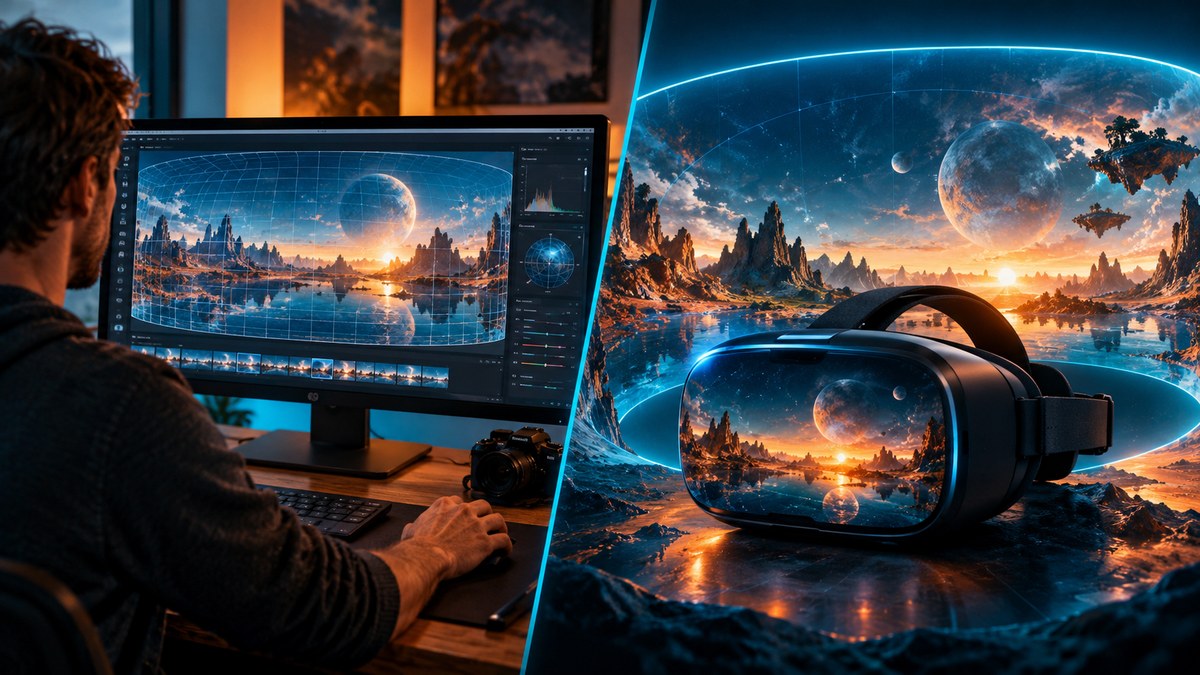
Try this workflow
360 image editor for equirectangular photos
Prompt recipes 1
Prompt recipes 2
Prompt recipes 3
A 360 project has two different jobs: making the panorama, and making it usable. Skybox AI is built for the first job. It generates equirectangular skybox images and publishes export tiers up to 16K. Qwen 360 Edit is a model-led workspace for the second job and for concept work: you pick a model in the live selector, generate or edit an image or video, and inspect the projection and seams yourself.
That distinction decides most of the comparison. If you need a guaranteed equirectangular file for a game engine or a VR headset, Skybox AI is the more direct tool. If you need to edit an existing 360 photo, try several models, or produce stills and video concepts around a panorama, the workspace is more flexible. This page uses each product's own public pages, read on 21 October 2026, and it names the places where the other tool is the better choice.
The short answer
| Qwen 360 Edit | Skybox AI | Panoraven | |
|---|---|---|---|
| Main job | Generate and edit images or video in a model-led workspace | Generate 360° equirectangular skyboxes | Host and share 360° virtual tours |
| 360-native | No dedicated 360 model; you inspect the projection | Yes, built for equirectangular panoramas | No generation; it hosts images you already have |
| Output | Images and video, depending on the selected model | Skybox images, HDRI exports | Tour links and embeds |
| Resolution | Depends on the selected model | 4K, 8K and 16K tiers by plan | Source resolution; no export listed |
| Entry price | $9.90 one-time for 500 credits; $4.90/month for 500 credits | Essential $24/month, $20 per seat on annual billing, 100 credits | Free personal use; paid from $5/month |
| Commercial use | Provider, plan and source rights apply | Plans page lists commercial licensing on Business only | Free plan excludes commercial use |
| Best for | Editing, model comparison and concept work | A dedicated skybox pipeline | Publishing a finished tour |
What each tool actually does
Qwen 360 Edit describes itself as an AI image and video workspace for 360-content concepts. The important transparency line is on the site itself: the current routes are not a dedicated Qwen or 360-panorama model, and the workspace uses the models named in its live controls. At the time of writing those controls name Nano Banana, Nano Banana Pro and Nano Banana Edit for images, and Veo 3.1 Fast and Veo 3.1 Quality for video. The site also says it is not affiliated with Alibaba, Qwen, Google or the model providers.
Skybox AI, from Blockade Labs, calls itself "the world's leading 360° equirectangular panorama AI image generator". Its homepage advertises a 15-second fastest generation, 16K as the highest standard resolution, 32-bit HDRI exports and 8K resolution with perfect seams. That is a purpose-built pipeline: the model, the export and the metadata are all aimed at a 360 environment.
Panoraven solves a third job. It is a 360° virtual tour maker and viewer: you upload 360° images, arrange them and share or embed the tour. Its public page does not describe stitching ordinary photos into a panorama, and it does not describe generating one. It is what you use after the panorama exists.
Projection and seams are the real test
An equirectangular panorama is a 2:1 rectangle in which the left and right edges meet. A good generator hides that meeting point and keeps the horizon level. A bad one leaves a visible vertical seam, a warped horizon, or a pole that pinches into a swirl. This is the part of the workflow that a general image model is least likely to protect on its own.
Skybox AI makes seams a headline claim: its homepage says "8K resolution with perfect seams". Treat that as the vendor's claim, not an independent measurement, and still inspect the file in your own viewer. The seam is exactly where a headset user will look first when they turn around.
Qwen 360 Edit takes the opposite approach: it tells you to inspect projection, seams and VR suitability yourself. That is honest, and it changes the workflow. If you edit an existing equirectangular photo, ask the model to keep the 2:1 layout, keep the horizon level and leave the seam area untouched. Then check the seam, the zenith and the nadir at full resolution. Generative edits can redraw the projection even when the prompt says not to, so the check is not optional.
Resolution, exports and VR
Resolution is where a dedicated tool earns its price. Skybox AI publishes three export tiers: 4K on Essential, 8K on Standard and 16K on Business, plus 32-bit HDRI exports. A VR headset needs enough pixels per degree to avoid visible blur, and a 360 video or a game skybox often needs more than a square social image. If your deliverable is a skybox, those tiers are the specification you are buying.
Qwen 360 Edit does not publish a single resolution, because the output depends on the selected image or video model. That is normal for a multi-model workspace, and it means the resolution question has to be answered per run. Check the model's output size before you plan a batch, and test one file in the headset rather than assuming a number from a different model.
Panoraven sits outside this question. It hosts the images you upload at their source resolution and turns them into a tour. It is not an export pipeline, and its public page does not list downloadable formats.
Price and licensing
Qwen 360 Edit prices credits rather than panoramas. The one-time Try pack is $9.90 for 500 credits that never expire. The monthly Try plan is $4.90 for 500 credits valid for one month, and the annual Try plan is billed $24 per year, shown as $2 per month, for 3,600 credits. The one-time Pro pack is $29 for 3,000 credits, and the monthly Pro plan is $49 for 30,000 credits. Larger Max and Production packs scale to hundreds of thousands of credits for batch work. Credits pay for the selected model, so the cost of one panorama depends on the model and the number of attempts.
Skybox AI prices seats and credits together. Essential is $24 per month, or $20 per seat on annual billing, with 100 credits and 4K exports. Standard is $60 monthly, $48 annual, with 300 credits and 8K exports. Business is $140 monthly, $112 annual, with 500 credits and 16K exports. Its homepage links a free trial but does not state an allowance, so do not plan a production run around a free tier until the vendor confirms one.
The licensing detail deserves its own paragraph. Skybox AI's homepage advertises "full commercial licensing with clear IP ownership", but its plans page lists commercial licensing only on the Business plan. Those two pages disagree. If you intend to sell a game, an experience or a client deliverable that uses the skybox, get the commercial term confirmed in writing before you publish. On Qwen 360 Edit, commercial use depends on the selected model provider, your plan and your rights in the source image; the site's own transparency notice points you back to the model terms.
Panoraven's free plan is personal use only and explicitly excludes commercial use and dashboard access. Paid plans start at Amateur for $5 per month, then Starter at $15 and Business at $29, with a 10-day free trial and 30% off on yearly billing. Commercial use begins with the paid Amateur plan.
Who each one is for
Choose Skybox AI if the deliverable is a skybox or a 360 environment and you need a published export tier, HDRI output and a seam claim from the vendor. It is the shortest path from a prompt to a file that a game engine or a headset can consume, provided you confirm the licence tier you need.
Choose Qwen 360 Edit if you need to edit an existing 360 photo, compare several image or video models on the same idea, or produce concept stills and clips around a panorama. It is also the lower entry price: $9.90 buys 500 credits once, against $24 for the first Skybox AI month. The trade-off is that you own the projection check.
Choose Panoraven if the panorama already exists and the job is to publish a tour. It is a hosting and embedding tool, not a generator. Its free plan is fine for a personal tour and explicitly not for commercial work.
A practical 360 workflow
Start by deciding whether you are generating or editing. A new skybox is a generation job; fixing a tripod in an existing panorama is an edit. Mixing the two in one prompt is how projections drift.
Next, render one test tile, not a batch. On Qwen 360 Edit, pick the model, write a prompt that protects the 2:1 layout and the horizon, and generate a single image. On Skybox AI, generate one skybox at the export tier you actually need. Then open the file in a 360 viewer and check four things: the left-right seam, the zenith, the nadir and the horizon line.
Only after the test passes should you scale up. Keep the prompt identical between attempts so a difference means the model changed, not the wording. Export at the highest tier your target device supports, and record which model and plan produced the file. If the file is going into a commercial product, confirm the licence before the batch, not after.
Finally, decide how the panorama will be published. A game engine or a headset consumes the image file; a client presentation may need a hosted tour, which is Panoraven's job. Those are different deliverables and they should be planned separately.
Sources checked on 21 October 2026
- Blockade Labs — Skybox AI: product description, 15-second fastest generation, 16K highest standard resolution, 32-bit HDRI, 8K with perfect seams, commercial licensing claim.
- Skybox AI plans: Essential, Standard and Business prices, credits, export tiers and the commercial licensing line.
- Panoraven: 360 tour maker and viewer, free personal-use limits, paid plan prices and trial terms.
- Qwen 360 Edit pricing and the site's transparency notice: credit packs, plan prices, model selector and the independent-brand disclaimer.
Prices and limits change. Confirm them on each product's own page before you buy.
What to do next
Open the 360 image editor to test an edit on an existing equirectangular photo, or the panorama image generator to start a new concept. If you are still preparing the source file, the 360 photo workflow guide covers projection, seams and the checks before export. For a wider comparison, read the panorama guide.
Frequently asked questions
Is Qwen 360 Edit the same as Qwen or Alibaba?
No. Qwen 360 Edit is an independent workspace and is not affiliated with Alibaba, Qwen, Google or the model providers. The generator uses whichever models are named in its live model selector, so check that selector before each run.
Does Qwen 360 Edit generate true 360 panoramas?
It generates ordinary images and videos for panorama-oriented projects, and it does not claim a dedicated 360-panorama model. You have to inspect the projection, the seam and VR suitability yourself. For a guaranteed equirectangular export, a dedicated tool such as Skybox AI is the safer route.
What does Skybox AI cost?
Skybox AI lists Essential at $24 per month ($20 per seat on annual billing) with 100 credits and 4K exports, Standard at $60 ($48 annual) with 300 credits and 8K exports, and Business at $140 ($112 annual) with 500 credits and 16K exports. Its homepage links a free trial but does not state an allowance.
Can I use Skybox AI images commercially?
The Skybox AI homepage advertises full commercial licensing, but its plans page lists commercial licensing only on the Business plan. That is a contradiction you should resolve with the vendor before publishing. Qwen 360 Edit's commercial terms depend on the model provider, your plan and your rights in the source image.
Which tool is better for VR?
Skybox AI is the clearer fit for VR skyboxes because it publishes 4K, 8K and 16K export tiers and 32-bit HDRI output. Qwen 360 Edit's output resolution depends on the selected image or video model, so test one equirectangular file in the headset before committing to a batch.
Can I edit an existing 360 photo in Qwen 360 Edit?
Yes, in image-to-image mode, using prompts that protect the 2:1 equirectangular layout. Keep the horizon level, avoid changing the seam area, and check the poles and the nadir after every pass. Generative edits can redraw the projection even when the prompt says not to.
What is Panoraven used for?
Panoraven hosts and shares 360 virtual tours from images you already have. It does not describe stitching or generating panoramas. Its free plan is personal use only with no commercial use, and paid plans start at $5 per month.
How much does Qwen 360 Edit cost?
The one-time Try pack is $9.90 for 500 credits that never expire. The monthly Try plan is $4.90 for 500 credits valid for one month, and the annual Try plan is billed $24 per year, shown as $2 per month, for 3,600 credits. Larger Pro and Max packs scale up from there.